✏️ Ch.1 回顧: 🔐 x 📧 x 😀 🔽
掃描 QR Code 或透過連結完成測試!
Jotform
🖼️ (A) AI 圖像創作 🔽
AI 圖像創作的第一步是學會如何撰寫提示詞 (Prompt)。提示詞不僅影響畫面風格,更能幫助您傳遞故事、氛圍與感受。
在創作之前,請思考以下問題:
- 😀 您的對象是誰?
- 📜 您希望圖片傳達什麼訊息?
- 🎨 您期望圖片呈現的風格與感覺是什麼?
回答這些問題後,再開始設計你的提示詞,進行測試與優化。
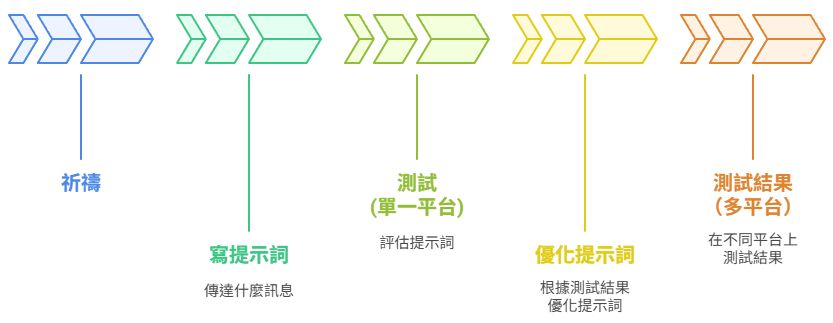
創作流程:祈禱 → 寫提示詞 → 測試 → 優化提示詞 → 測試
🧩 (B) 關鍵元素與子元素 🔽
了解下面的關鍵元素與子元素,有助於您透過 AI 創作優質圖像。
✍️ (C) 提示詞句型與組成元素 🔽
現在,您可以通過撰寫提示詞,透過利用關鍵元素與子元素來製作圖像,下面是句型結構:
中文:創建一幅圖片:一個 [主體],使用 [構圖方式],以 [風格] 呈現,採用 [視角] 和 [燈光],以 [構圖比例] 展示,並具有 [顏色] 調性和 [細節]。
ENG: Create a picture: A [subject], in [composition type], with [style] style, using [angle] and [lighting], shown in [aspect ratio], with [color] tones and [detail].
句型範例:
中文:創建一幅圖片:一位小女孩正在跳舞,使用三分法構圖,以水彩風格呈現,採用俯視視角和柔光,以 3:2 構圖比例展示,並具有暖色調和背景散景。
English: Create a picture: A little girl dancing in rule of thirds composition with watercolor style, using bird’s-eye view and soft light, shown in 3:2 aspect ratio with warm tones and bokeh background.
⚙️ (D) 提示詞產生器 🔽
從下面的下拉選單中選擇每個元素,然後點擊按鈕來生成您的英文提示詞。
🔧 (E) AI 繪圖工具 🔽
複製生成的句子,然後點擊下方連結使用 AI 繪圖工具來生成圖片。(部分平台需要 Google 帳號登入)
💻 網頁版工具:
- 🔲 DeepAI (僅支援英文提示詞和 1:1 比例)
- ✨ Perplexity AI
- ✨ Microsoft Copilot
- ✨ Grok AI
- ✨ Google Gemini AI
- 🇨🇳 豆包 (Doubao)
- 🇸🇬 Cici AI
- 🖼️ Ideogram AI
- 🌈 Leonardo.Ai
- 🍌 LM Arena AI
分享您的作品!
✍️ (F) 齊來試試!🔽
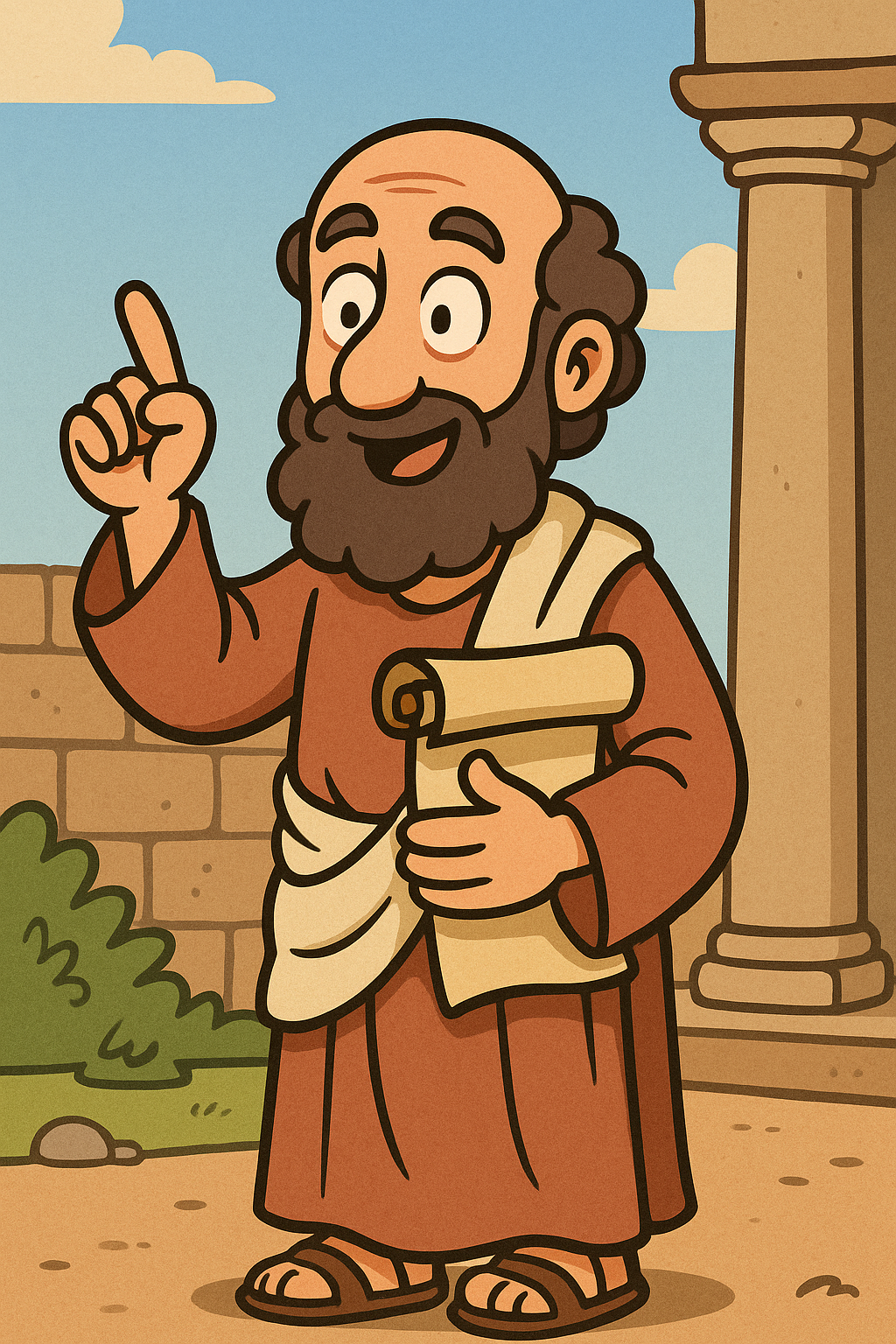
步驟 1: 🎨 複製下面提示詞,透過不同 AI 繪圖工具,製作你第一張 AI 圖片並下載到自己裝置上!
Draw a cartoon-style illustration a kind and wise teacher. He wears simple ancient robes, carries a scroll in one hand, and gestures with the other as if teaching. The background shows a simple marketplace scene. The style is colorful, friendly, and slightly humorous, with bold outlines and soft shading, suitable for an educational project.
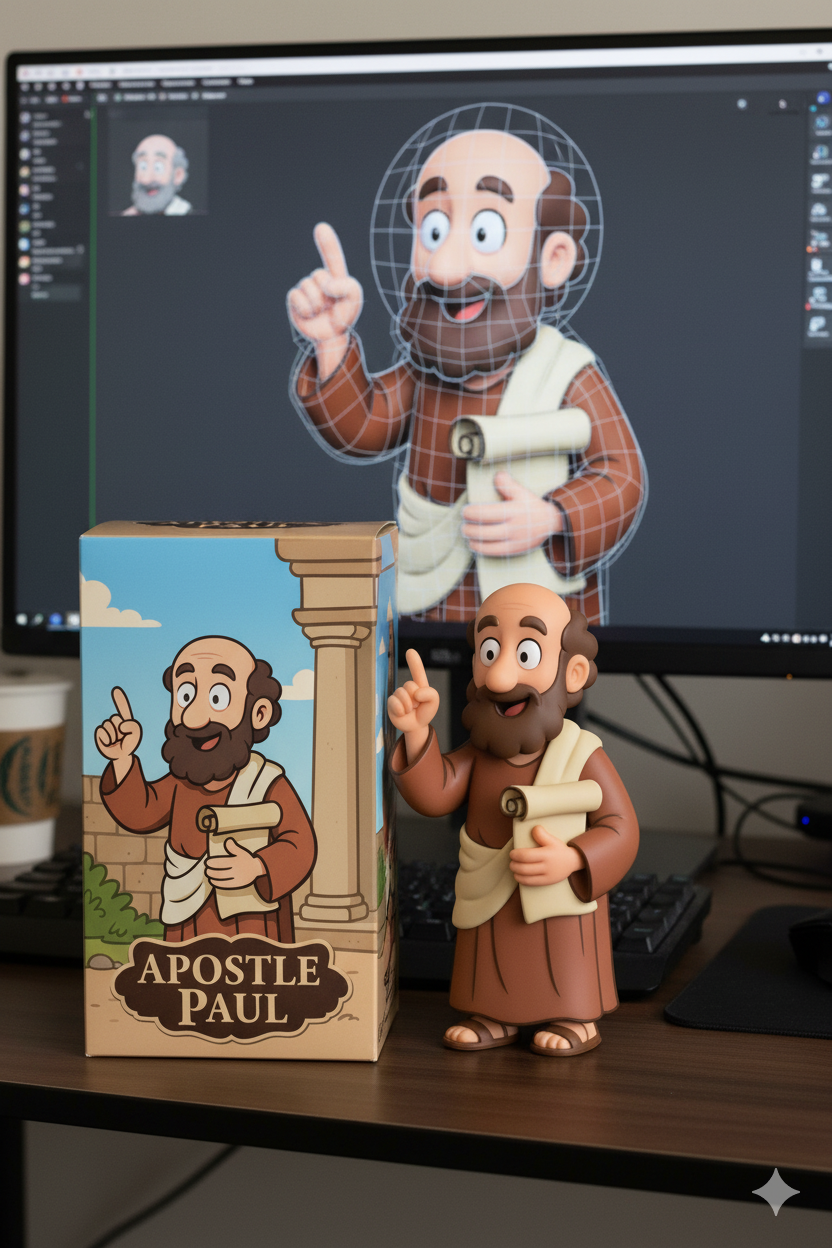
步驟 2a: 將您的創作生成公仔模型! (🔐 w. VPN)
Please transform the character in the image into a 1/7 scale full-body physical figure, with a clearly visible PVC texture. Place the figure on a computer desk, and have the computer screen display a 3D design rendering of the character. Additionally, on the desk, place a proportionally sized figure box that is printed with the character’s design: My first AI Figure, the figure box is bigger than the figure.
步驟 2b: 創作公仔模型! (🔓 w/o VPN)
Draw a prospective model of the character in the picture, commercialized as a 1/7 scale full body figure. Please make this image into a real-life figure photo. Place the figurine version of the photo I provided on a round black plastic pedestal. I would like the PVC material to be clearly visible. The background should be a computer desk. Add: My first AI Figure in gold colour on the black plastic pedestal.
✍️ 您現在可以自己編寫提示詞。
📋 您亦可以複製下面的提示詞試試:
(1) 模糊的提示詞 | (Vague Prompt)
中文: 畫一隻兔子。
ENG: Draw a rabbit.
(2) 清晰的提示詞 | (Clear Prompt)
中文: 畫一隻灰色的 Miffy 兔子在公園野餐。
ENG: Draw a grey Miffy rabbit having a picnic in the park.
(3) 簡易版提示詞 (Easy Version)
中文: 創建一幅圖片:一個 小女孩,使用 中心構圖,以 卡通風格 呈現。
English: Create a picture: A little girl, in centered composition, with cartoon style.
(4) 中級版提示詞 (Intermediate Version)
中文: 創建一幅圖片:一個 男孩,使用 三分法構圖,以 水彩風格 呈現,採用 仰角視角 和 柔光,以 方形 (1:1) 展示。
English: Create a picture: A boy, in rule of thirds composition, with watercolor style, using low angle and soft light, shown in square (1:1).
(5) 完整版提示詞 (Full Version)
中文: 創建一幅圖片:一個 女士,使用 對角構圖,以 寫實風格 呈現,採用 俯視視角 和 強烈光影,以 橫向 (3:2) 展示,並具有 暖色調 調性和 背景散景 細節。
English: Create a picture: A lady, in diagonal composition, with realistic style, using bird's-eye view and dramatic lighting, shown in landscape (3:2), with warm tones and bokeh background.
🎨 (G) 總結 🔽
📣 總結:透過學習AI圖像創作的關鍵元素:風格、顏色、視角、燈光、構圖方式、構圖比例、細節,並運用結構化的提示詞句式,就可以生成合符預期的精美AI圖像作品。
創作流程:
💡 (H) 課後作業 🔽
請完成以下作業:
- 完成 Ch.1 回顧 🖥️
- 分享一張您的 AI 圖像作品 🎨
-
註冊 AI 平台帳號:
請使用您建立的 Email 帳號,註冊並啟用以下平台:
🎙️ minimax.io -
準備語音樣本:
錄製兩段自己廣東話語音 🎙️ (建議10~30秒) 作為樣本,內容可隨意,最好包含自然的語調變化,測試是否能夠聽清楚。
探索 AI 文字轉語音網站:(選做,不用註冊)
- 訪問 🔊 Ondoku
- 訪問 🔊 AI Speaker